> ## Documentation Index
> Fetch the complete documentation index at: https://docs.gameball.co/llms.txt
> Use this file to discover all available pages before exploring further.
# How Do I Edit Guest View Content and FAQ Section of the Widget?
> Learn how to edit the text in both the FAQ section and the guest view content of the widget.
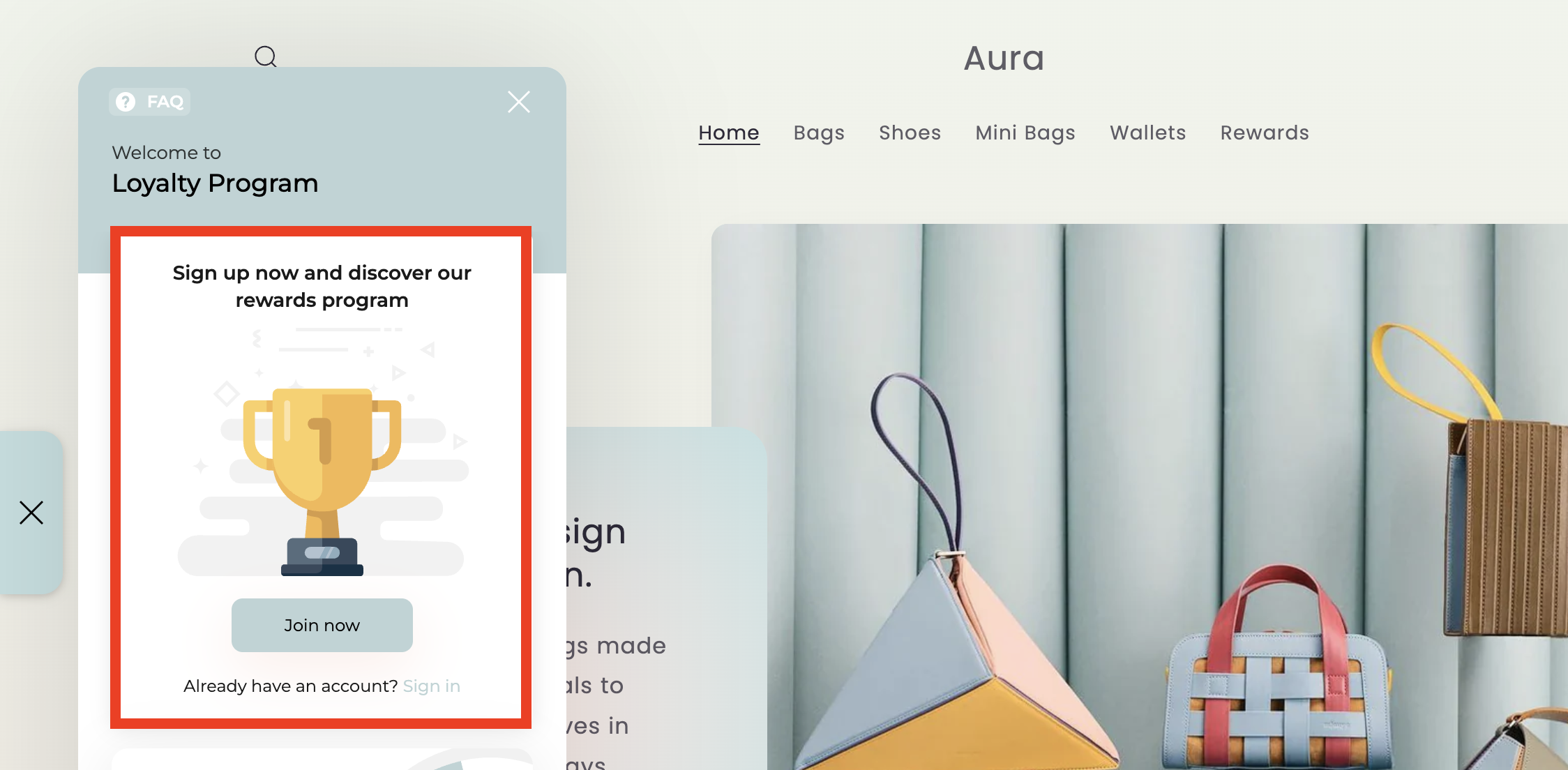
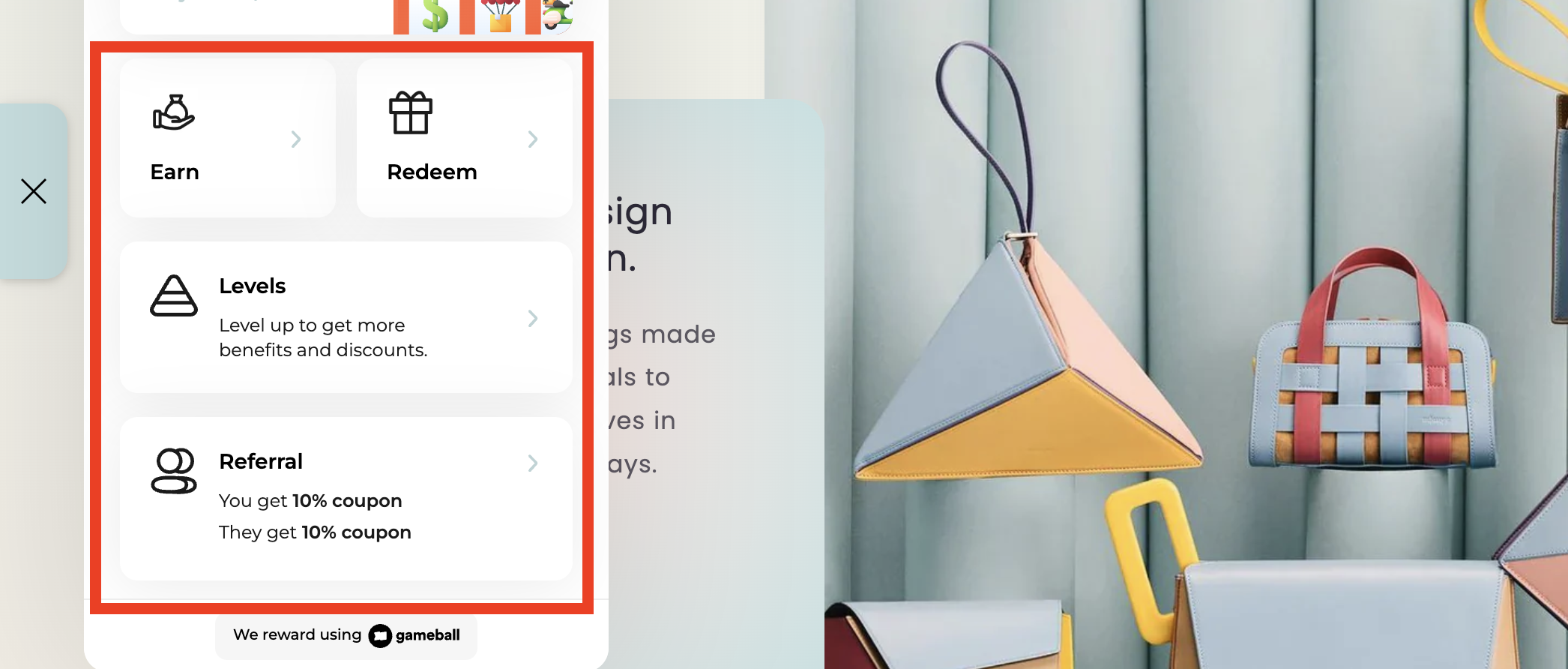
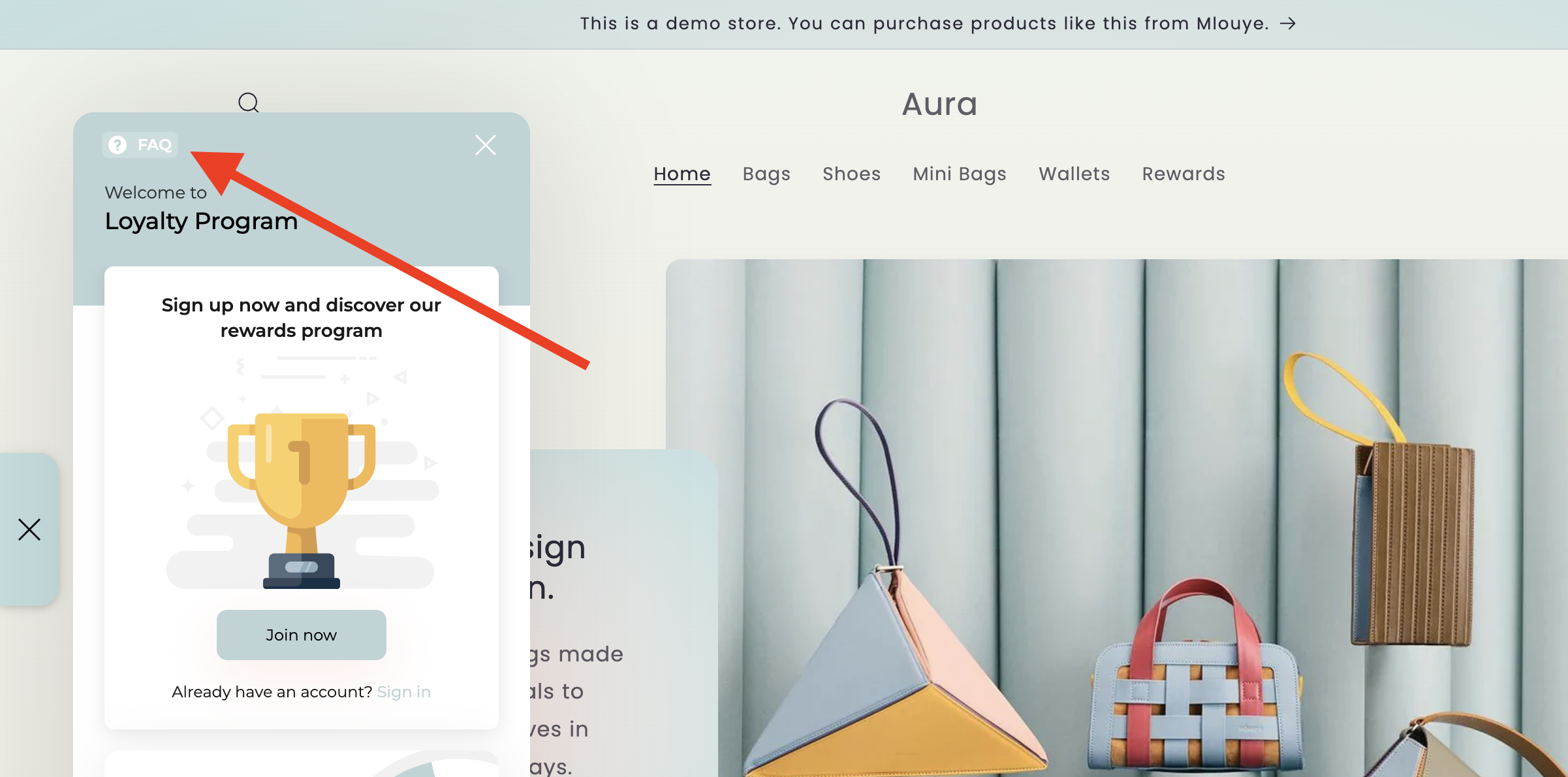
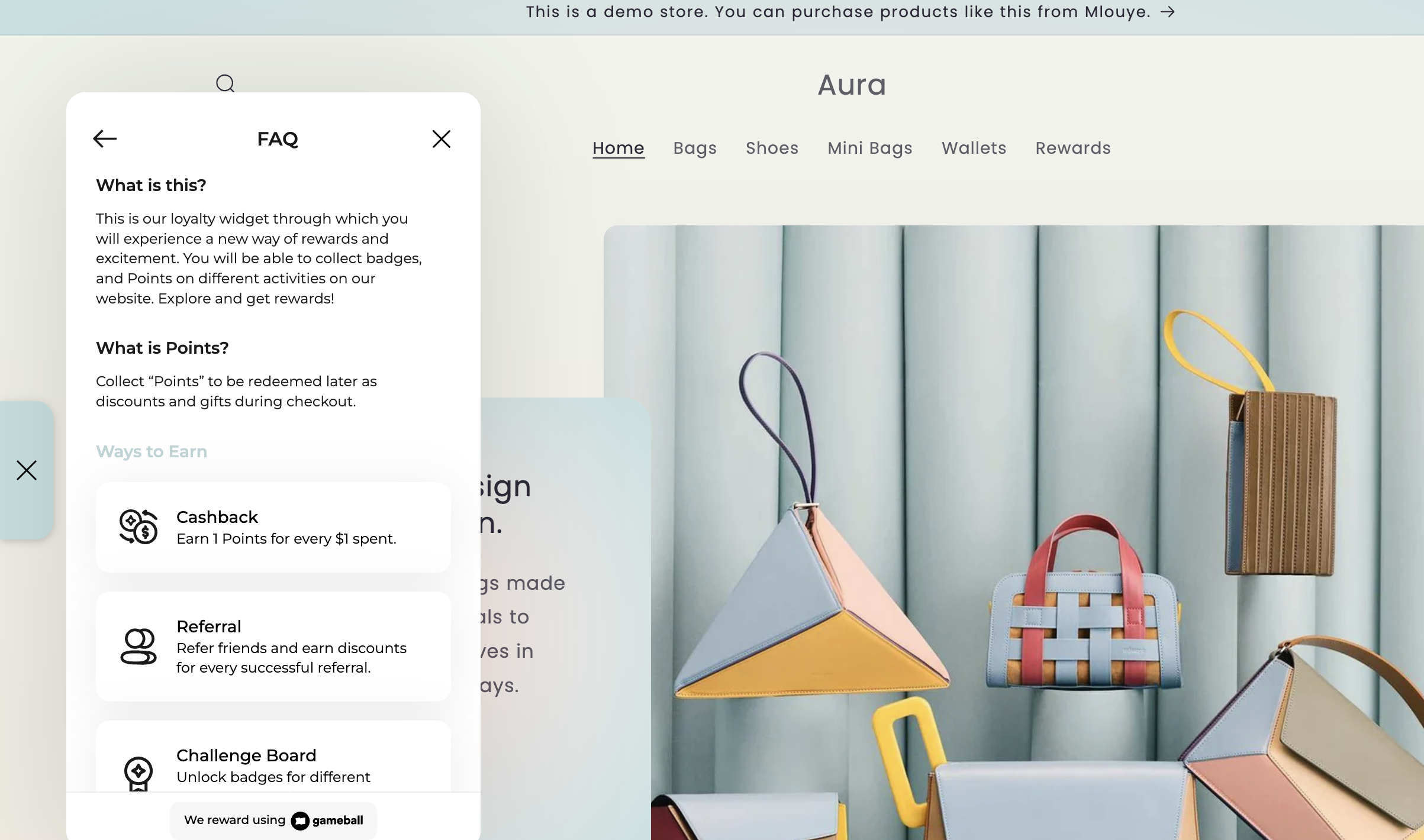
You can edit these parts of the widget:
* The **guest view content** shown to visitors who have not yet signed in.
* The **FAQ section** found at the top of the widget.
 ***
## Editing the Guest View Content
On the **Gameball Admin Dashboard**, go to **Widget > Content: Guests**.
***
## Editing the Guest View Content
On the **Gameball Admin Dashboard**, go to **Widget > Content: Guests**.
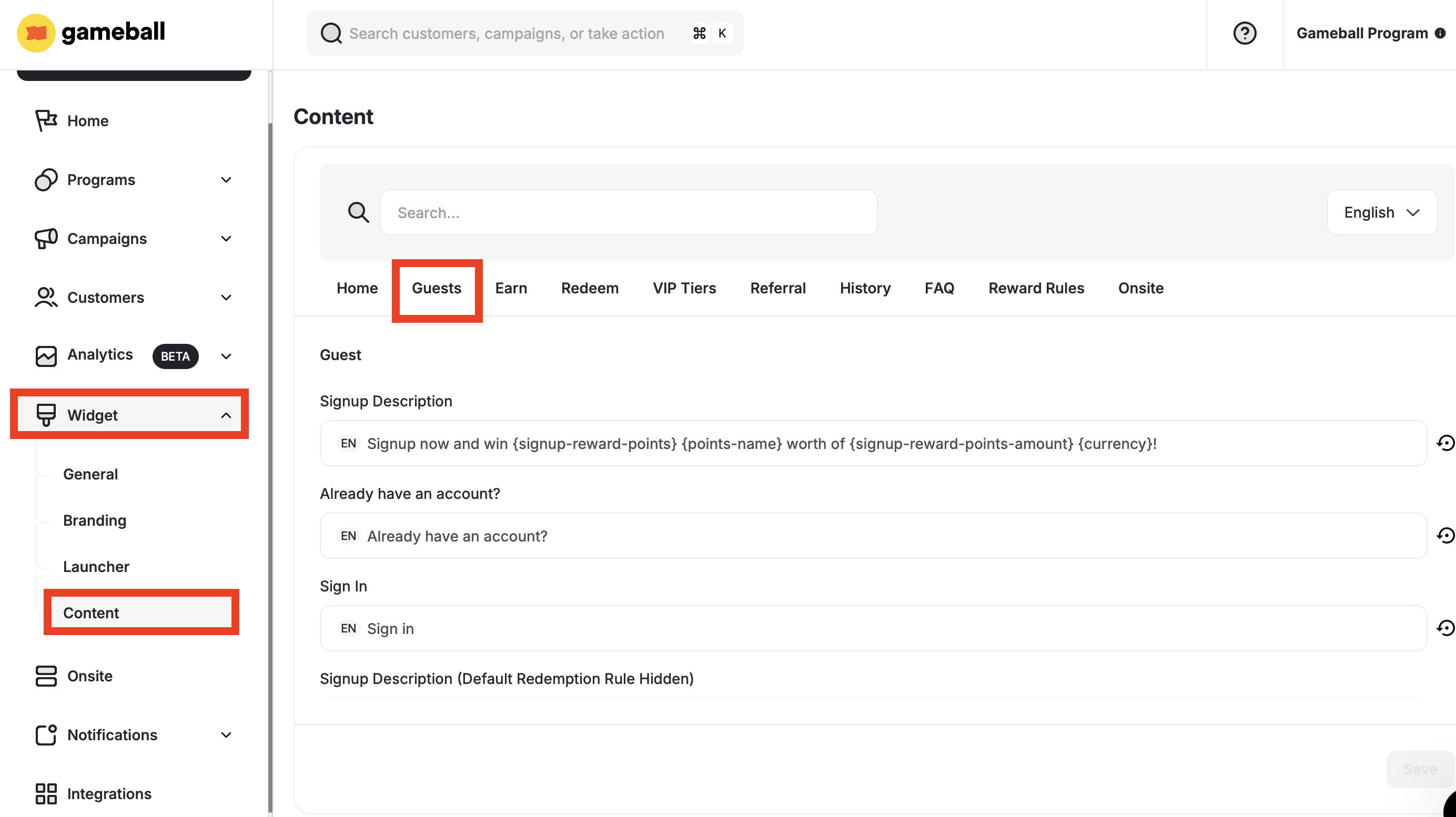 The following fields are available to customize:
| **Tab** | **Description** |
| - | - |
| **Signup Description** | Displays the main description message shown to guest users on the signup screen. |
| **Already have an account?** | Text prompting users who already have an account. |
| **Sign In** | Call-to-action for existing users to log in. |
| **Signup Description (Default Redemption Rule Hidden)** | Alternate signup message shown when the default redemption rule is hidden. |
| **Join Now** | Call-to-action inviting the user to register. |
| **Guest Card Title** | The title displayed at the top of the guest card. |
| **No Rolls Left Description** | Message shown when the guest has no more chances (rolls) left. |
Fill in the needed information and click **Save**.
***
## Editing the FAQ Section
On the **Gameball Admin Dashboard**, go to **Widget > Content: FAQ**.
The following fields are available to customize:
| **Tab** | **Description** |
| - | - |
| **Signup Description** | Displays the main description message shown to guest users on the signup screen. |
| **Already have an account?** | Text prompting users who already have an account. |
| **Sign In** | Call-to-action for existing users to log in. |
| **Signup Description (Default Redemption Rule Hidden)** | Alternate signup message shown when the default redemption rule is hidden. |
| **Join Now** | Call-to-action inviting the user to register. |
| **Guest Card Title** | The title displayed at the top of the guest card. |
| **No Rolls Left Description** | Message shown when the guest has no more chances (rolls) left. |
Fill in the needed information and click **Save**.
***
## Editing the FAQ Section
On the **Gameball Admin Dashboard**, go to **Widget > Content: FAQ**.
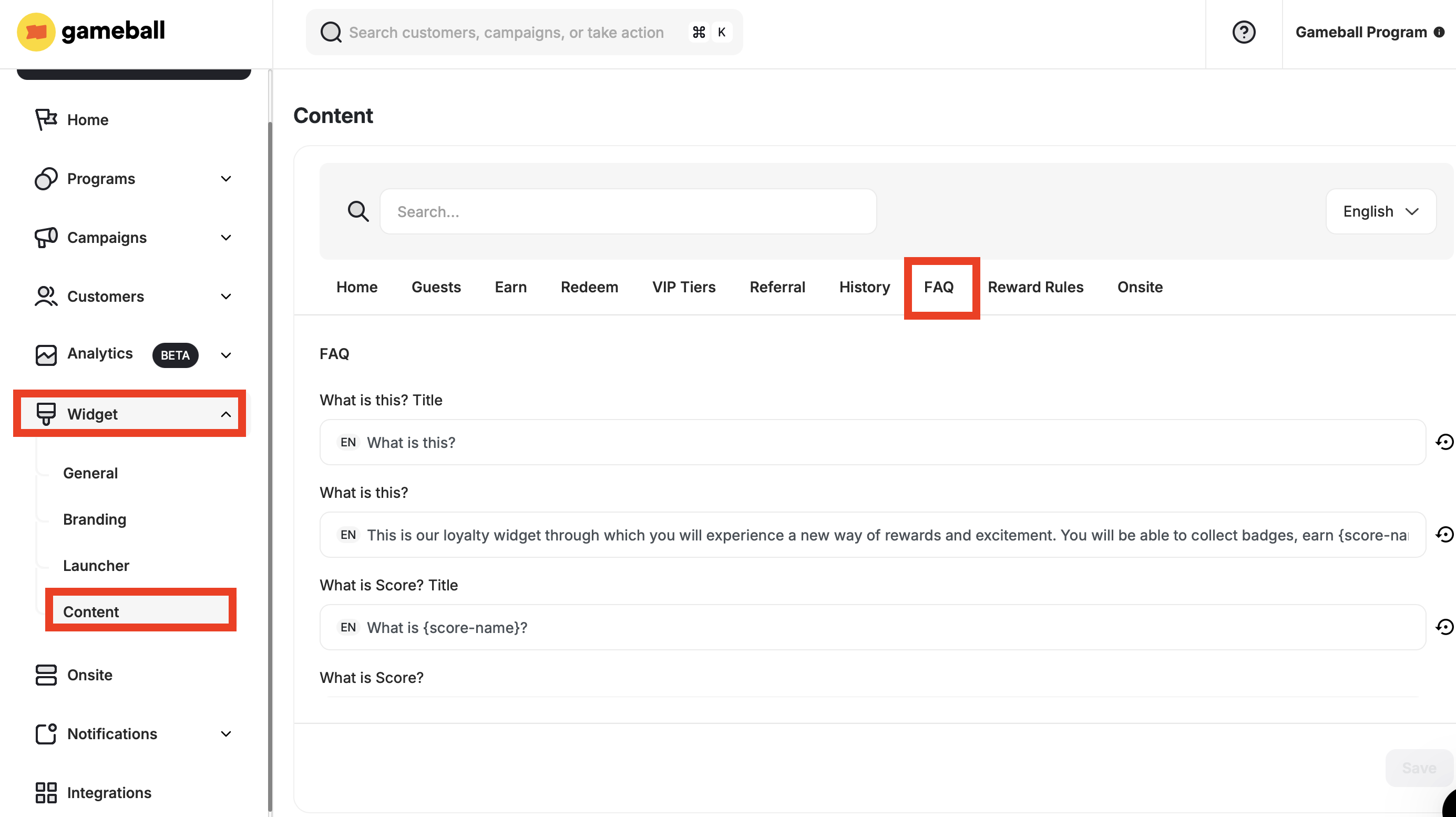 The following fields are available to customize:
| **Tab** | **Description** |
| - | - |
| **What is this? Title** | The heading for the FAQ section introducing the widget or program. |
| **What is this?** | Content explaining the purpose of the widget or loyalty program. |
| **What is Score? Title** | The heading introducing the Score concept. |
| **What is Score?** | Description of what a Score is and how it is used. |
| **What is Points? Title** | The heading introducing the Points concept. |
| **What is Points?** | Description of what Points are and how they are earned or redeemed. |
| **Ways to Earn Title** | Heading for the list or section showing earning methods. |
| **Reward Campaigns Description** | Explanation of how customers can earn through campaigns. |
| **Reward Campaigns Title** | Heading for the reward campaigns section. |
| **Tiers Description** | Information about the tiered loyalty levels and their benefits. |
| **Tiers Title** | Heading for the tiers section. |
| **Referral Description** | Explanation of the referral program and its benefits. |
| **Referral Title** | Heading for the referral program section. |
| **Cashback Description with Score** | Description of how cashback works when tied to score-based systems. |
| **Cashback** | General term used for cashback rewards. |
| **Ways to Redeem Title** | Heading for the list or section showing how to redeem rewards. |
| **Flat Rate** | A redemption method where a fixed point cost applies. |
| **Free Shipping** | A reward option offering free shipping for redemptions. |
| **Percentage Base** | A reward where the discount is calculated as a percentage. |
| **Free Product** | A reward where customers receive a free item upon redemption. |
| **Merchant Description** | General description of merchant-defined rewards. |
| **Fixed Amount-based Discount** | A reward offering a fixed monetary discount on a purchase. |
Fill in the needed information and click **Save**.
***
## Related Articles
Configure the guest experience, including images, sign-up URLs, and login redirects.
Control which tabs appear in your widget and in what order they are displayed.
This documentation is built and hosted on [Mintlify](https://mintlify.com), a developer documentation platform.
The following fields are available to customize:
| **Tab** | **Description** |
| - | - |
| **What is this? Title** | The heading for the FAQ section introducing the widget or program. |
| **What is this?** | Content explaining the purpose of the widget or loyalty program. |
| **What is Score? Title** | The heading introducing the Score concept. |
| **What is Score?** | Description of what a Score is and how it is used. |
| **What is Points? Title** | The heading introducing the Points concept. |
| **What is Points?** | Description of what Points are and how they are earned or redeemed. |
| **Ways to Earn Title** | Heading for the list or section showing earning methods. |
| **Reward Campaigns Description** | Explanation of how customers can earn through campaigns. |
| **Reward Campaigns Title** | Heading for the reward campaigns section. |
| **Tiers Description** | Information about the tiered loyalty levels and their benefits. |
| **Tiers Title** | Heading for the tiers section. |
| **Referral Description** | Explanation of the referral program and its benefits. |
| **Referral Title** | Heading for the referral program section. |
| **Cashback Description with Score** | Description of how cashback works when tied to score-based systems. |
| **Cashback** | General term used for cashback rewards. |
| **Ways to Redeem Title** | Heading for the list or section showing how to redeem rewards. |
| **Flat Rate** | A redemption method where a fixed point cost applies. |
| **Free Shipping** | A reward option offering free shipping for redemptions. |
| **Percentage Base** | A reward where the discount is calculated as a percentage. |
| **Free Product** | A reward where customers receive a free item upon redemption. |
| **Merchant Description** | General description of merchant-defined rewards. |
| **Fixed Amount-based Discount** | A reward offering a fixed monetary discount on a purchase. |
Fill in the needed information and click **Save**.
***
## Related Articles
Configure the guest experience, including images, sign-up URLs, and login redirects.
Control which tabs appear in your widget and in what order they are displayed.
This documentation is built and hosted on [Mintlify](https://mintlify.com), a developer documentation platform.